
What it does
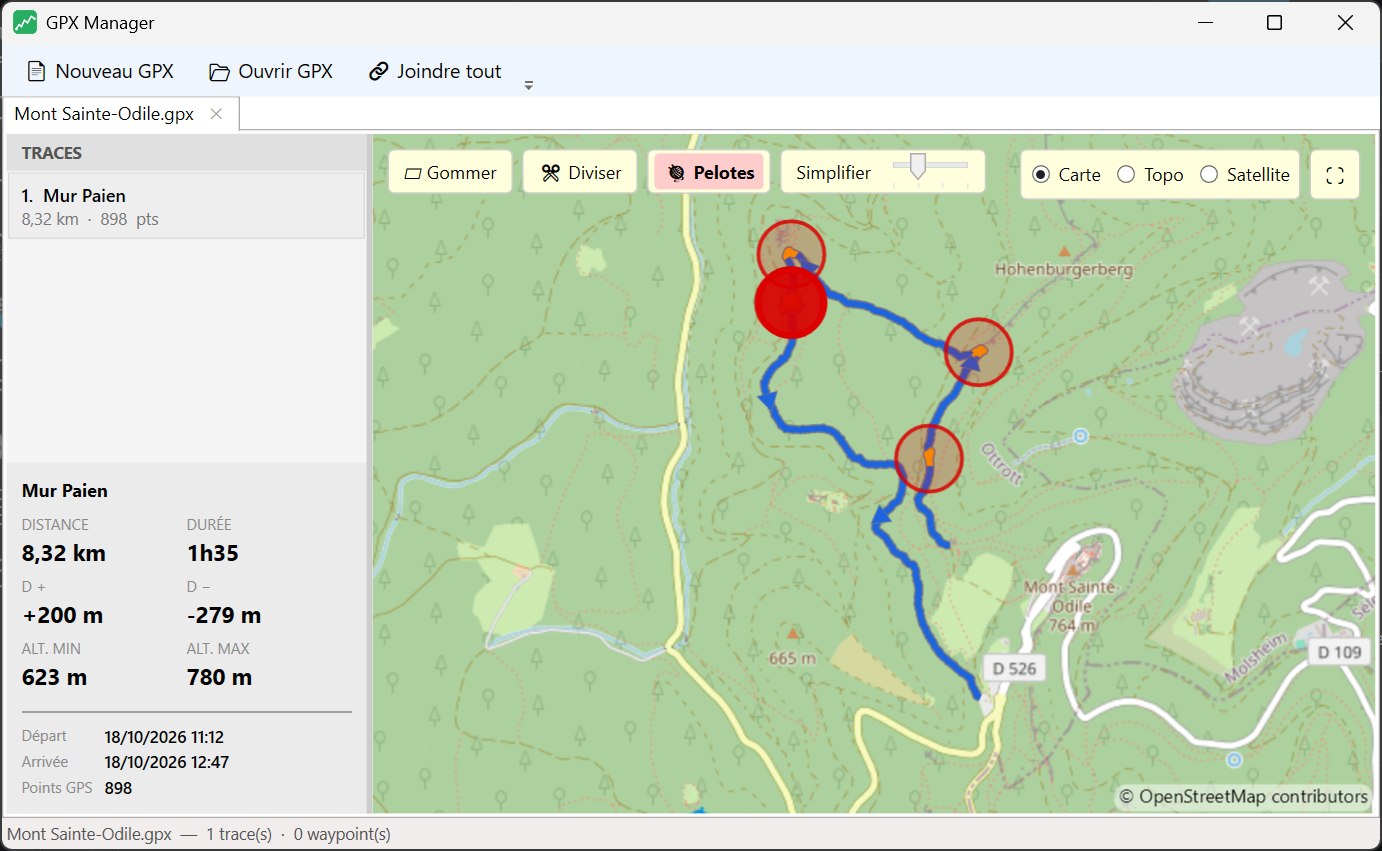
On a map
Street, topographic or satellite map, with direction arrows on the tracks.
The figures
Distance, duration, climb and descent, lowest and highest point, start and end times.
Clean up
Cut a track, erase points, spot the knots of a GPS left still, simplify.
Organise
Rename, copy, join and reorder tracks, or merge everything into one file.
Several files
Open several GPX files in tabs; drag and drop them onto the window.
Screenshots
Install
- Tap Download for Windows, open Assets on the page and download
GpxManager-Setup-…exe. - Double-click it and follow the wizard (Next, Next, Install). No administrator rights needed.
- If Windows says it protected your PC, click More info, then Run anyway.
Good to know
- GpxManager opens .gpx files with a double-click and remembers the files you had open.