What it does
Edges found for you
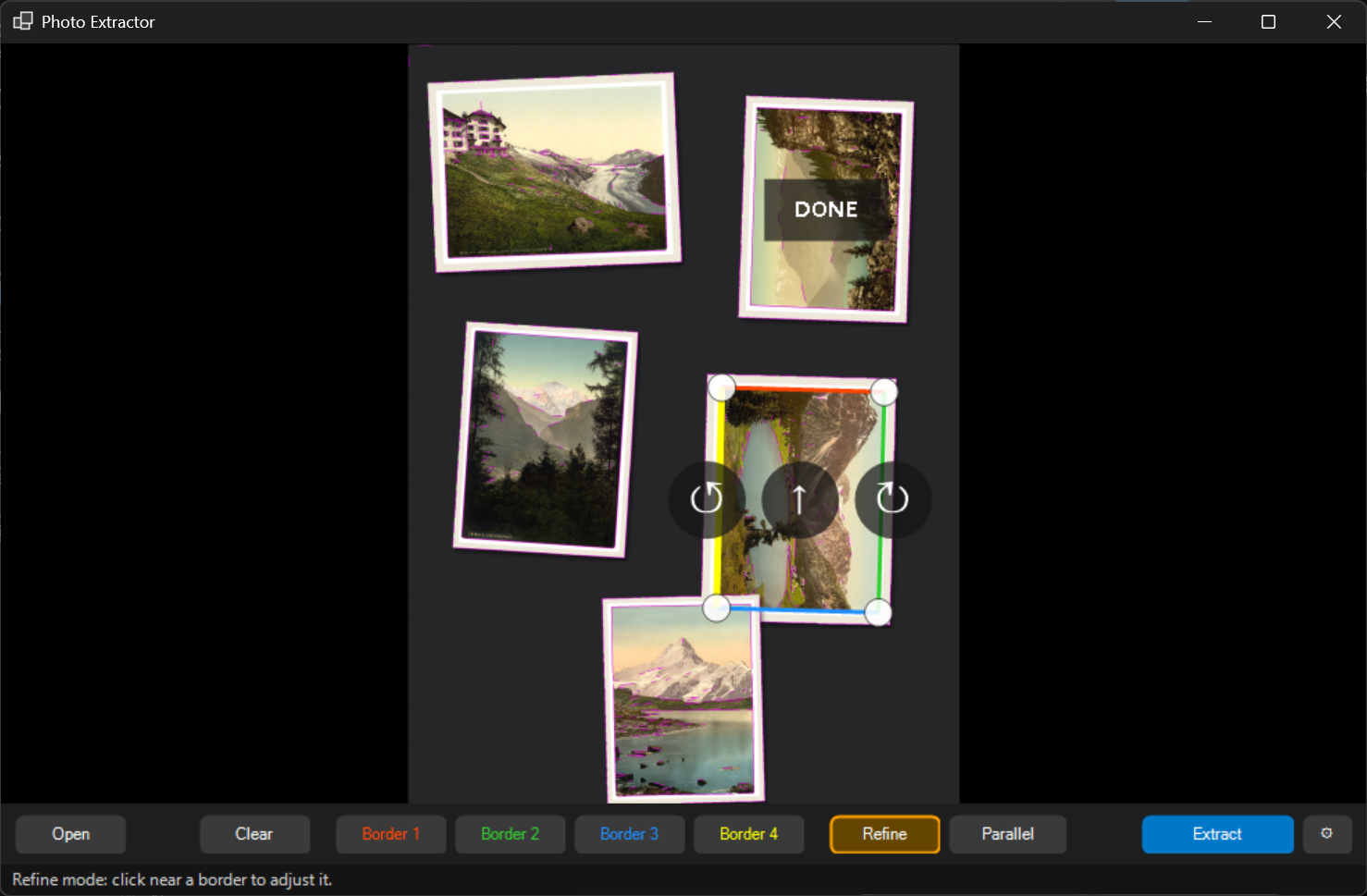
The edges of each photo are detected; you click the right ones.
Straight photos
Photos glued at an angle or shot from the side come out perfectly straight.
Precise
Zoom, move the edges and corners with a magnifier for fine adjustments.
One file per photo
Each photo is saved as a clean JPEG next to the page, and marked as done.
Many pages
Open several pages in tabs; your settings are kept for next time.
Screenshots
Install
- Tap Download for Windows, open Assets on the page and download
PhotoExtractor-Setup-…exe. - Double-click it and follow the wizard (Next, Next, Install). No administrator rights needed.
- If Windows says it protected your PC, click More info, then Run anyway.
Good to know
- Open a scanned page, click the four edges of a photo, then Extract: the photo is saved as page_01_Extractored.jpg.